
10 Essential Features for Websites to Drive Growth in 2025
In a crowded digital marketplace, a website is more than just an online brochure; it's your hardest-working employee, your top salesperson, and your primary brand ambassador. But what separates a digital powerhouse from a digital placeholder? The answer lies in its features. The right combination of functionality transforms a static page into an interactive platform that engages visitors, captures leads, and drives conversions. This guide moves beyond generic advice to provide a strategic blueprint of the 10 most crucial features for websites today.
We will dissect the tools and functionalities that not only enhance user experience but also produce tangible business results. For many, the first step is grasping the building blocks of this functionality, and understanding what website widgets are provides an excellent foundation for adding these powerful components to your site. This article builds on those fundamentals, offering a comprehensive look at what truly matters.
Whether you're a small business owner, an eCommerce retailer, or a professional service firm, implementing these specific features will convert your site from a passive presence into an active growth engine. We'll provide actionable implementation tips, real-world examples, and clear guidance to help you prioritize what matters most for your specific goals. Get ready to explore the essential features that will define high-performing websites in 2025 and beyond.
1. Search Functionality
Search functionality is a cornerstone among essential features for websites, acting as an internal navigation engine. It allows users to bypass structured menus and directly query your site's content database to find specific products, services, or information. For any site with more than a handful of pages, a robust search bar transforms the user experience from a potentially frustrating hunt into a fast, efficient journey.
When users can't find what they're looking for within seconds, they are likely to leave. A powerful search function prevents this by providing immediate access to relevant content, which is crucial for eCommerce stores with extensive catalogs, professional service firms with large resource libraries, or any business aiming to improve user engagement and conversions.

Why It's a Top Priority
A well-implemented search feature directly impacts key business metrics. It reduces bounce rates by keeping users on-site and guides them toward conversion goals. For example, Amazon's success is heavily tied to its sophisticated search, which includes filters, sorting options, and predictive suggestions. Similarly, a law firm can use search to help potential clients find articles related to their specific legal needs, establishing authority and building trust.
Key Insight: Your internal search data is a goldmine. Analyzing what users are searching for reveals content gaps, product demand, and common user language, providing invaluable insights for your content and SEO strategy.
How to Implement Search Effectively
- Prioritize Speed and Relevance: Search results should appear in under a second. Utilize powerful search engines like Elasticsearch or Algolia to deliver lightning-fast, relevant results, even with complex queries.
- Incorporate User-Friendly Features: Implement autocomplete to suggest popular queries as users type. For misspelled terms, provide a "Did you mean...?" suggestion to prevent dead-end searches.
- Add Advanced Filtering (Faceted Search): This is non-negotiable for eCommerce. Allow users to narrow down results by attributes like price, brand, size, or color. This drastically improves the shopping experience and leads to higher conversion rates.
- Analyze Search Analytics: Regularly review what users are searching for and what terms yield no results. Use this data to create new content, optimize product descriptions, or add new product lines that meet customer demand.
2. Navigation Menu
A navigation menu is the structural roadmap of your website, providing clear, intuitive pathways to key content sections. Among the most fundamental features for websites, it acts as a primary user interface element, guiding visitors through your information architecture. Whether it's a simple top-level bar or a complex "mega menu," its purpose is to make finding information effortless and predictable.
Without a logical navigation system, users are left to wander aimlessly, leading to frustration and high bounce rates. A well-designed menu organizes your entire site into a coherent structure, ensuring visitors can easily access product categories, service pages, contact information, or your blog. This clarity is essential for any website, from a simple portfolio to a sprawling eCommerce platform.
Why It's a Top Priority
Clear navigation is directly tied to user experience, session duration, and conversion rates. It reduces cognitive load, allowing users to focus on your content and offerings rather than on how to find them. Apple’s website, for instance, uses a clean, product-focused menu that simplifies complex product lines, guiding users smoothly toward a purchase. For a professional service firm, a logical menu (e.g., Services, Case Studies, About Us, Contact) builds credibility and helps potential clients find the information they need to make a decision.
Key Insight: A "sticky" or fixed navigation menu that remains visible as users scroll down the page can improve usability by 100%. Keeping primary links constantly accessible prevents users from having to scroll back to the top to continue their journey.
How to Implement Navigation Effectively
- Limit Top-Level Choices: Stick to 5-7 main menu items to avoid overwhelming users (a principle known as Miller's Law). Use clear, concise labels like "Services" instead of ambiguous terms like "What We Do."
- Design for Mobile First: On mobile devices, use a universally recognized icon like the "hamburger" menu to consolidate navigation. Ensure the menu is easy to tap and its links are legible on small screens.
- Use Descriptive Labels: Your navigation labels should align with user expectations and be keyword-relevant for SEO. A user looking for pricing should easily find a "Pricing" link, not have to guess if it's under "Solutions" or "Products."
- Provide Visual Feedback: Highlight the user's current page within the navigation menu. This simple visual cue helps orient them within your site's structure, improving their sense of place and control.
3. Call-to-Action (CTA) Buttons
Call-to-Action (CTA) buttons are among the most critical features for websites, serving as the interactive signposts that guide users toward a desired conversion. These prominent buttons use compelling, action-oriented language and stand-out design to prompt visitors to take the next step, whether it's making a purchase, signing up for a newsletter, or downloading a resource. They are the bridge between passive content consumption and active user engagement.
Without clear CTAs, even the most persuasive website content can fail to convert visitors into customers or leads. A well-placed button removes ambiguity, telling the user exactly what to do next. This clarity is essential for driving business goals, from generating leads for a service firm to closing sales on an eCommerce platform.

Why It's a Top Priority
Effective CTAs directly influence conversion rates, turning your website from a digital brochure into a powerful marketing tool. They create a clear pathway for the user journey, reducing decision fatigue and increasing the likelihood of a positive outcome. For example, Slack's simple "Get Started" CTA immediately communicates the primary action, while Mailchimp’s "Sign Up Free" button highlights the value proposition (it's free) to lower the barrier to entry.
Key Insight: The text on your CTA button has a disproportionate impact on its effectiveness. Small changes from passive language like "Submit" to active, benefit-focused copy like "Get Your Free Quote" can dramatically increase click-through rates.
How to Implement CTAs Effectively
- Use Action-Oriented, Benefit-Focused Copy: Ditch generic words. Instead of "Submit," use "Download Your Ebook" or "Start My Free Trial." The copy should imply a direct benefit to the user.
- Create Visual Contrast: Your CTA button should be impossible to miss. Use a color that contrasts sharply with the page background and surrounding elements, drawing the user's eye directly to it.
- Prioritize Placement: Place your primary CTA "above the fold" so it's visible without scrolling. Also, add CTAs at natural endpoints in your content, such as after a compelling product description or at the end of a blog post.
- Optimize for Mobile: Ensure buttons are large enough to be easily tapped on a mobile device, with a recommended minimum size of 44x44 pixels. This prevents user frustration and improves accessibility.
- A/B Test Your CTAs: Continuously test different variations of your button's color, size, text, and placement. Even minor adjustments can lead to significant improvements in conversion rates over time.
4. User Authentication & Login System
A user authentication and login system is one of the most critical security features for websites that handle sensitive user information. It provides a secure gateway for users to create personal accounts, manage their data, and access exclusive content or services. By verifying a user's identity through credentials like a username/password combination or third-party providers, this system protects both the user and the business from unauthorized access.
For eCommerce stores, membership sites, or SaaS platforms, a login system is non-negotiable. It enables personalized experiences such as order history, saved preferences, and customized content, which are essential for building customer loyalty and encouraging repeat business. Without it, you cannot offer secure, individualized user journeys, which are a cornerstone of modern digital interaction.
Why It's a Top Priority
Implementing a secure login system builds trust and credibility. It assures users that their personal data, from shipping addresses to payment information, is protected. This trust is foundational for any transaction-based or membership-driven website. Platforms like Google and GitHub have set the standard with robust, multi-layered authentication flows that users now expect. A secure system prevents data breaches, protects user privacy, and ensures compliance with data protection regulations like GDPR.
Key Insight: Offering social login options (e.g., "Login with Google" or "Login with Facebook") can significantly reduce registration friction. Users often prefer the convenience of a single click over filling out another form, which can lead to higher sign-up rates.
How to Implement Authentication Effectively
- Enforce Strong Security Protocols: Always use HTTPS/SSL to encrypt data transmitted between the user's browser and your server. Require users to create strong passwords with complexity rules (e.g., minimum length, special characters) and implement rate limiting to thwart brute-force attacks.
- Offer Multi-Factor Authentication (MFA): Provide MFA as an optional or mandatory layer of security. This requires users to provide a second form of verification, such as a code sent to their phone, drastically reducing the risk of unauthorized account access.
- Simplify the User Experience: While security is paramount, the process shouldn't be cumbersome. Provide clear account recovery options like "Forgot Password" and communicate your data usage policies transparently to build user confidence.
- Use Secure Session Management: Implement token-based authentication (like JSON Web Tokens or JWT) to manage user sessions securely. This ensures that a user's logged-in state is maintained safely as they navigate your site.
5. Forms & Input Fields
Forms and input fields are the primary interactive features for websites used to gather user information. They are the digital handshake between a business and its audience, facilitating everything from simple newsletter signups and contact requests to complex eCommerce checkouts and user registrations. A well-designed form reduces friction and encourages completion, directly impacting lead generation and sales.
For any business aiming to convert visitors into customers, the form is often the final, critical step. A clunky, confusing, or overly long form can cause users to abandon the process entirely, leading to lost revenue and missed opportunities. In contrast, an intuitive and streamlined form experience builds trust and guides users smoothly toward their goal.
Why It's a Top Priority
Effective forms are conversion machines. Whether capturing a lead for a service firm or processing a payment for an eCommerce store, the form's design directly influences your bottom line. Companies like Stripe have set the industry standard for checkout forms by obsessively minimizing steps and friction. Similarly, HubSpot's lead capture forms are optimized to gather just enough information to qualify a lead without overwhelming the user.
Key Insight: Every field you add to a form increases the likelihood of abandonment. Vigorously audit your forms and remove any field that is not absolutely essential for the immediate transaction or follow-up.
How to Implement Forms Effectively
- Adopt a Single-Column Layout: This layout is easier to scan and works seamlessly on mobile devices, preventing user confusion and improving completion rates.
- Provide Real-Time Validation: Give users immediate feedback as they fill out fields. A green checkmark for a valid email or a red outline for an error prevents frustration when they hit the "Submit" button.
- Use Clear, Action-Oriented CTAs: Instead of a generic "Submit," use button text that reflects the action, such as "Get Your Free Quote" or "Download the Guide." This sets clear expectations.
- Show Progress for Multi-Step Forms: For longer processes like checkout or onboarding, use a progress bar (e.g., "Step 2 of 4") to manage user expectations and reduce abandonment. For a deeper dive into optimizing these elements, you can learn more about conversion optimization best practices on rebusadvertising.com.
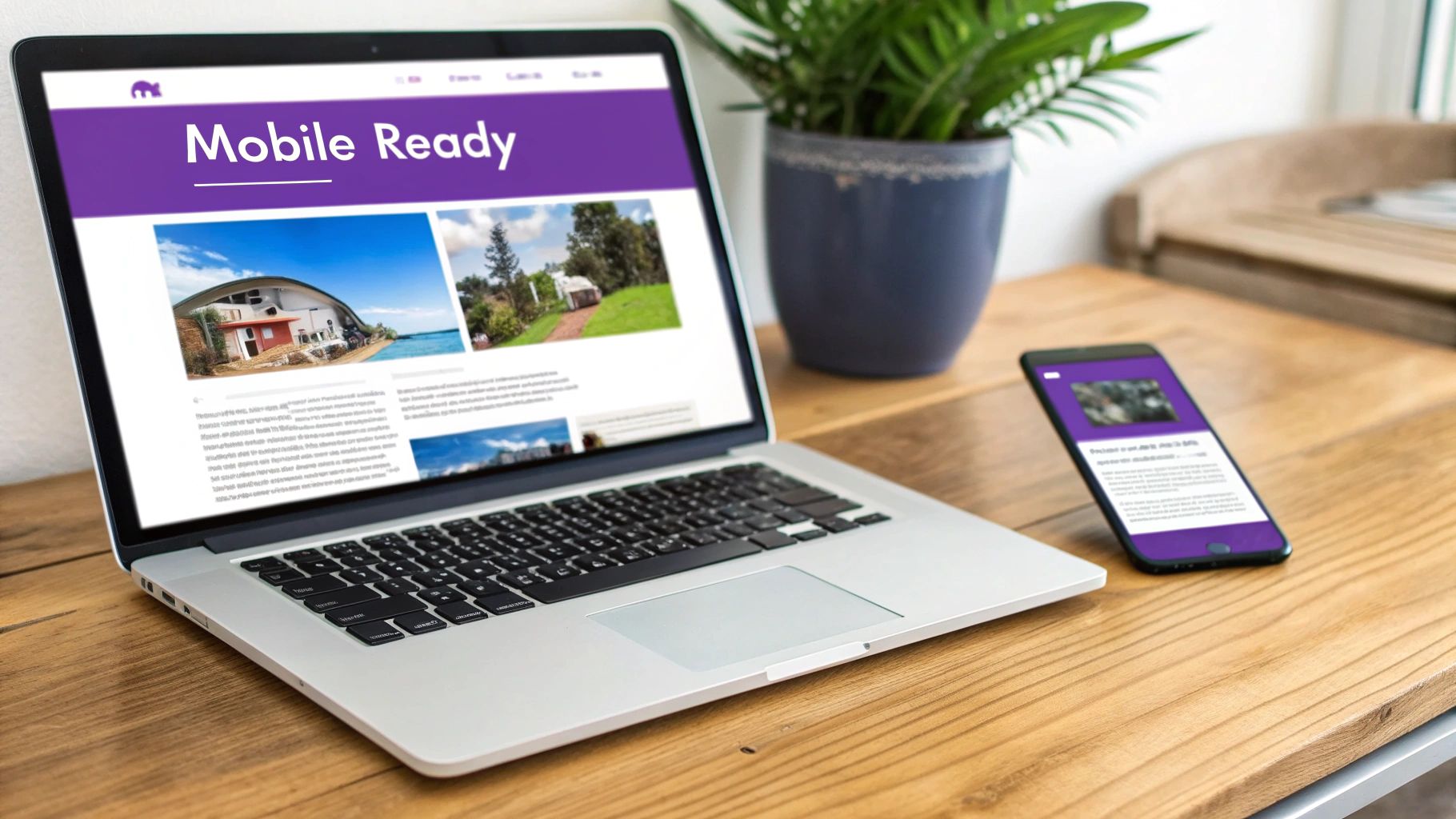
6. Responsive Design & Mobile Optimization
Responsive design is a non-negotiable approach among modern features for websites, ensuring your site provides an optimal viewing and interaction experience across a wide range of devices. It uses flexible grids, scalable images, and CSS media queries to automatically adapt the layout to fit the user's screen, whether it's a smartphone, tablet, or desktop computer. This eliminates the need for a separate, dedicated mobile site and creates a unified, seamless user journey.
In an era where mobile traffic often surpasses desktop, a non-responsive site is a significant liability. Users trying to navigate a shrunken-down desktop site on their phone will quickly become frustrated by pinching, zooming, and difficult-to-tap links, leading to high bounce rates and lost opportunities. A mobile-optimized experience is essential for capturing and retaining this massive audience segment.
Why It's a Top Priority
Since Google implemented mobile-first indexing, a site's mobile version is the primary one used for ranking and indexing. A poor mobile experience can directly harm your SEO performance, making you less visible to potential customers. For businesses like local service providers or eCommerce stores, where users frequently browse and purchase on-the-go, a responsive design is directly tied to lead generation and revenue.
Key Insight: Responsive design is more than just aesthetics; it's a core component of accessibility and usability. It ensures that everyone, regardless of their device, can access your content and services effectively, which builds brand trust and broadens your market reach.
How to Implement Responsive Design Effectively
- Adopt a Mobile-First Approach: Design for the smallest screen first and then scale up. This forces you to prioritize essential content and functionality, resulting in a cleaner, more focused experience on all devices.
- Optimize Performance for Mobile: Mobile users are often on slower connections. Compress images using modern formats like WebP, minify CSS and JavaScript, and leverage browser caching to ensure fast load times.
- Focus on Touch-Friendly Navigation: Ensure buttons and links are large enough to be easily tapped. A common best practice is to make touch targets at least 44x44 pixels to avoid user frustration.
- Test on Real Devices: Browser emulation tools are useful, but nothing beats testing on actual smartphones and tablets. This helps you identify device-specific quirks and assess the true user experience, from performance to readability.
7. Customer Reviews & Ratings
Customer reviews and ratings are among the most powerful features for websites, serving as a critical form of social proof. This feature allows customers to share their direct feedback, post ratings, and leave testimonials on products or services, creating a transparent and user-generated content ecosystem. For potential buyers on the fence, authentic peer reviews can be the final nudge needed to complete a purchase, transforming browsers into customers.
In today's digital marketplace, trust is currency. Displaying genuine feedback directly on your site builds credibility far more effectively than any marketing copy. From Amazon’s ubiquitous star ratings to a local plumber’s Google Reviews, this feature demonstrates that you value customer opinions and are confident in your offerings. It addresses a core consumer question: "What do other people think?"
Why It's a Top Priority
Integrating reviews and ratings directly impacts conversions and builds community. They provide unbiased insights that influence purchasing decisions, with many consumers trusting online reviews as much as personal recommendations. For an eCommerce store, displaying reviews on product pages can significantly lift sales. For a professional service firm, testimonials from satisfied clients build a reputation of reliability and expertise, attracting high-quality leads.
Key Insight: Responding to all reviews, especially negative ones, is a public display of excellent customer service. It shows prospective customers that you care, listen to feedback, and are committed to resolving issues, which can build even more trust than a perfect record.
How to Implement Reviews Effectively
- Simplify the Submission Process: Make it effortless for customers to leave a review. Request feedback via a post-purchase email at an optimal time and design a simple form with minimal required fields.
- Enhance Authenticity with Verification: Increase the credibility of your reviews by adding a "Verified Purchase" badge. This assures other users that the feedback is from a genuine customer, making it more trustworthy.
- Showcase Reviews Strategically: Feature your best testimonials prominently on your homepage, service pages, and product pages. Use schema markup for ratings to enable rich snippets (stars) in search results, improving click-through rates.
- Encourage Richer Content: Prompt users to add photos or videos to their reviews. Visual testimonials are more engaging and provide potential buyers with a real-world look at your product or the results of your service.
8. Live Chat & Messaging Support
Live Chat & Messaging Support is one of the most direct and engaging features for websites, providing a real-time communication channel between a business and its visitors. This feature enables instant customer service, proactive sales engagement, and personalized assistance, directly addressing user queries and concerns the moment they arise. For businesses aiming to convert visitors into loyal customers, live chat closes the gap between passive browsing and active engagement.
In an era of instant gratification, customers expect immediate answers. A well-placed chat widget can prevent potential customers from abandoning their cart or leaving the site in frustration. It humanizes the digital experience, offering the kind of immediate, conversational support that builds trust and fosters stronger relationships with your audience.
Why It's a Top Priority
Implementing live chat directly boosts lead generation and conversion rates by engaging prospects while their purchasing intent is highest. Companies like Drift and Intercom have championed this as "conversational marketing," turning a passive website visit into an active sales conversation. An eCommerce store can use chat to help a customer find the right size, while a consultancy firm can qualify a lead and book a meeting directly within the chat window.
Key Insight: Live chat transcripts are a treasure trove of customer feedback. Analyzing common questions, pain points, and objections provides raw, unfiltered data you can use to improve your FAQ page, product descriptions, and overall user experience.
How to Implement Live Chat Effectively
- Be Strategic with Pop-ups: Avoid aggressive chat pop-ups that appear the second a visitor lands. Instead, trigger the chat widget based on user behavior, such as time on a key page (like pricing) or when they show exit intent.
- Set Clear Expectations: If you don't offer 24/7 support, clearly state your available hours. Use an offline form or chatbot to capture inquiries outside of business hours so no lead is lost.
- Integrate with Your CRM: Connect your chat tool (like Zendesk or HubSpot) to your CRM. This gives your support and sales teams immediate context about the visitor, including their purchase history and previous interactions, allowing for highly personalized conversations.
- Leverage Canned Responses and Chatbots: Speed up response times by creating pre-written answers for frequently asked questions. For initial triage or after-hours support, a simple chatbot can answer basic queries or qualify leads before handing them off to a human agent.
9. Email Newsletter Signup
An email newsletter signup is one of the most powerful marketing features for websites, allowing you to build a direct line of communication with your audience. This feature enables you to collect visitor email addresses, creating an owned marketing channel that is independent of unpredictable social media algorithms or search engine changes. It's a foundational tool for nurturing leads, driving repeat business, and building lasting customer loyalty.
For any business, from an eCommerce store announcing a new product line to a consulting firm sharing industry insights, an email list is an invaluable asset. It allows you to deliver targeted, relevant content directly to an engaged audience, transforming casual visitors into dedicated followers and customers. Unlike rented audiences on social platforms, your email list is yours to cultivate and grow.
Why It's a Top Priority
Building an email list is a direct investment in long-term customer relationships and sustainable growth. It provides the highest ROI of any marketing channel, as demonstrated by platforms like ConvertKit and Mailchimp that have empowered countless creators and businesses. A well-managed email list allows for personalized communication, segmentation, and automated marketing sequences that guide subscribers through the customer journey.
Key Insight: Your email list is a direct pulse on your most engaged audience. Analyze open rates, click-through rates, and unsubscribe reasons to understand what content resonates most, helping you refine your messaging and offers.
How to Implement Email Signups Effectively
- Offer a Compelling Incentive: Encourage signups by offering a "lead magnet," such as an exclusive discount, a free ebook, a helpful template, or access to a webinar. This provides immediate value in exchange for an email address.
- Keep Forms Simple: Minimize friction by asking only for essential information. A name and email address are typically all you need. The more fields you add, the lower your conversion rate will be.
- Use Strategic Placement: Integrate signup forms in high-visibility areas like the website footer, a sidebar, or within blog posts. Use well-timed, non-intrusive exit-intent pop-ups to capture visitors before they leave.
- Set Clear Expectations and Deliver Value: Be upfront about email frequency and the type of content subscribers will receive. To maximize the impact of your efforts, ensure your messages consistently reach your audience by implementing these best practices for email deliverability. You can learn more about how to effectively manage and segment your email list to enhance engagement.
10. Analytics & Performance Tracking
Analytics and performance tracking systems are the central nervous system among essential features for websites. These tools collect, measure, and analyze data on user behavior, traffic sources, and conversion metrics. They provide the critical insights needed to understand how users interact with your site, what’s working, and where improvements are needed, transforming guesswork into a data-driven strategy.
Without analytics, you are operating in the dark. You won’t know where your visitors are coming from, which pages they engage with most, or why they leave without converting. For any business, from an eCommerce store tracking sales funnels to a service firm monitoring lead-generation forms, robust analytics are indispensable for sustainable growth and optimizing your digital investment.
Why It's a Top Priority
Effective tracking directly informs business strategy and boosts ROI. By analyzing user journeys, you can identify friction points in your conversion funnel, optimize underperforming pages, and double down on your most effective marketing channels. For example, a professional service firm can use tools like Hotjar to see that users are dropping off on a complex contact form, prompting a redesign that increases lead submissions.
Key Insight: Go beyond surface-level metrics like page views. Focus on event-based tracking to measure meaningful user interactions, such as video plays, document downloads, or form submissions. This provides a much clearer picture of user engagement and intent.
How to Implement Analytics Effectively
- Establish Clear Goals and KPIs: Before you track anything, define what success looks like. Set up specific, measurable goals within your analytics platform, such as completing a purchase or submitting a form. You can learn more about setting up Google Analytics goals on rebusadvertising.com.
- Track the Entire Funnel: Set up conversion funnels to visualize the steps users take toward a goal. This will immediately highlight where users are dropping off, allowing you to address specific pages or elements that are causing friction.
- Utilize Heatmaps and Session Recordings: Tools like Hotjar or Crazy Egg provide visual data on where users click, scroll, and move their mouse. Session recordings let you watch anonymized user sessions, offering invaluable qualitative insights into their experience.
- Segment Your Audience: Analyze the behavior of different user segments (e.g., new vs. returning visitors, mobile vs. desktop users, or traffic from different channels). This helps you tailor the user experience and marketing messages for specific groups.
Comparison of 10 Website Features
| Search Functionality | 🔄 High — backend indexing, tuning | ⚡ High — search engine + infra | ⭐ High — improved discovery & engagement | 💡 Content-heavy sites, e‑commerce, knowledge bases | 📊 Faster findability; user intent insights |
|---|---|---|---|---|---|
| Navigation Menu | 🔄 Medium — IA and responsive menus | ⚡ Low — mostly frontend work | ⭐ High — better wayfinding & SEO | 💡 Any multi-section site or large catalog | 📊 Clear structure; reduces cognitive load |
| Call-to-Action (CTA) Buttons | 🔄 Low — design, placement, A/B testing | ⚡ Low — minimal dev and analytics | ⭐ High — increases conversions when optimized | 💡 Landing pages, product pages, signup flows | 📊 Direct conversion lift; measurable |
| User Authentication & Login System | 🔄 High — security, SSO, MFA integration | ⚡ High — backend services, maintenance | ⭐ Medium‑High — enables personalization & retention | 💡 SaaS, membership sites, e‑commerce accounts | 📊 Secures data; enables user tracking/monetization |
| Forms & Input Fields | 🔄 Medium — validation, UX, accessibility | ⚡ Medium — backend processing and anti‑spam | ⭐ High — essential for data capture & leads | 💡 Lead gen, checkout, onboarding, surveys | 📊 Collects structured data; improves conversions |
| Responsive Design & Mobile Optimization | 🔄 Medium‑High — layouts, media queries, testing | ⚡ Medium — dev time + device testing | ⭐ High — better mobile engagement & SEO | 💡 Any public site; mobile-first audiences | 📊 Broader reach; lower bounce rates |
| Customer Reviews & Ratings | 🔄 Medium — moderation, verification systems | ⚡ Medium — moderation tools & support | ⭐ High — builds trust and boosts conversions | 💡 E‑commerce, marketplaces, local services | 📊 Social proof; product improvement feedback |
| Live Chat & Messaging Support | 🔄 Medium‑High — routing, integrations, staffing | ⚡ High — agents, tooling, coverage costs | ⭐ High — immediate support; higher conversions | 💡 Sales sites, support-heavy services | 📊 Real-time engagement; lead capture |
| Email Newsletter Signup | 🔄 Low — signup + ESP integration | ⚡ Low‑Medium — ESP fees and content effort | ⭐ High — builds owned audience; strong ROI | 💡 Content creators, e‑commerce repeat buyers | 📊 Direct marketing channel; increases LTV |
| Analytics & Performance Tracking | 🔄 Medium — tagging, dashboards, privacy controls | ⚡ Medium — tooling + analyst time | ⭐ High — enables data-driven decisions | 💡 Any site tracking growth or ROI | 📊 Actionable insights; measures impact |
From Features to Fuel: Activating Your Website's Potential
We've journeyed through ten foundational features for websites that are non-negotiable for success in today's digital landscape. From the intuitive simplicity of a powerful search function and clear navigation to the conversion-driving force of strategic CTAs and seamless forms, each element plays a distinct, critical role. We’ve seen how responsive design isn't just a technical requirement but a commitment to user experience, and how social proof in the form of customer reviews builds the trust necessary to turn visitors into loyal advocates.
This comprehensive list, however, is more than a simple checklist. It's a strategic framework for transforming your website from a static digital brochure into a dynamic, results-driven engine for your business. The true power isn't in just having these features; it's in how they are integrated to create a cohesive, intuitive, and valuable user journey. A well-placed live chat can rescue a sale, a frictionless login system can encourage repeat business, and insightful analytics can illuminate the path to continuous improvement.
From Blueprint to Building: Your Actionable Next Steps
The gap between knowing and doing is where most businesses falter. To bridge this divide, it's time to move from passive reading to active implementation. Don't let this wealth of information become another forgotten browser tab. Here is a clear, three-step plan to put these insights into action immediately:
Conduct a Comprehensive Website Audit: Start by objectively evaluating your current site against the ten features we've discussed. Create a scorecard or a simple spreadsheet. For each feature, rate your current implementation on a scale of 1 to 5. Where are the glaring gaps? Is your mobile experience clunky? Are your CTAs weak or non-existent? This audit provides the baseline data you need to make informed decisions.
Prioritize Based on Impact and Effort: You cannot, and should not, tackle everything at once. Analyze your audit results through the lens of your primary business goals. If lead generation is your top priority, focus first on optimizing your forms, CTAs, and newsletter signups. If customer retention is the goal, then user authentication, live chat, and review systems should top your list. Create a prioritized roadmap, categorizing tasks into "quick wins" and "longer-term projects."
Commit to an Iterative Process: The most successful websites are never truly "finished." They are in a constant state of evolution, adapting to new user behaviors, market trends, and technological advancements. Use your analytics and performance tracking data to form hypotheses, test changes, measure results, and repeat. Embrace the mindset of continuous improvement, where your website is a living asset that grows and refines its performance over time.
Mastering the implementation of these features for websites is what separates thriving digital businesses from those that merely exist online. It's about making a deliberate choice to invest in the user experience, to build trust through transparency and security, and to listen to the data your audience provides. By taking these structured steps, you transition from simply having a web presence to commanding a powerful digital platform that actively generates leads, nurtures customers, and accelerates growth. The potential is immense, and the path forward is clear.
Ready to transform your digital blueprint into a high-performing reality? The team at Rebus specializes in crafting immersive web experiences by expertly implementing the essential features for websites discussed in this guide. We help businesses define, design, and optimize sites that captivate users and deliver measurable results. Visit Rebus to see how we can help you build a website that works tirelessly for your business.
