
10 User Experience Design Best Practices for 2025
In a competitive online market, a visually appealing website or app is simply table stakes. The critical differentiator, the element that transforms a casual visitor into a loyal customer, is the quality of their journey. This is the essence of user experience (UX) design: a strategic discipline focused on making digital interactions intuitive, efficient, and genuinely satisfying for the end user. When done right, it directly impacts engagement, conversion rates, and ultimately, your bottom line.
A poor experience, defined by confusing navigation, slow load times, or inaccessible content, actively drives potential customers away. Conversely, a thoughtful, user-centric approach builds trust and brand loyalty. Investing in proven user experience design best practices is not a luxury; it's a fundamental requirement for sustainable business growth. For small and medium-sized businesses, e-commerce retailers, and professional service firms, mastering these principles provides a significant competitive advantage, reducing friction in the sales funnel and improving customer retention.
This comprehensive guide is designed to be your go-to resource. We will move beyond theory and dive into a practical roundup of 10 essential UX best practices you can implement immediately. We'll cover everything from the structural logic of Information Architecture (IA) and the necessity of Usability Testing to the critical importance of Accessibility (WCAG Compliance) and Performance Optimization. Each section provides actionable checklists, real-world examples, and clear implementation tips, equipping you with the tools needed to create a superior digital experience that drives measurable results and supports your business objectives.
1. User-Centered Design (UCD)
User-Centered Design (UCD) is a foundational philosophy that anchors the entire design process around the people who will actually use the product. Instead of building a feature and hoping it meets user needs, UCD starts with understanding those needs first. This iterative process involves deep research into user behaviors, goals, and pain points, ensuring the final product is not just functional but also intuitive and valuable.
This approach is one of the most critical user experience design best practices because it directly links business success to user satisfaction. When users' needs are met, they are more likely to engage, convert, and become loyal customers.
Why It's Essential
Adopting a UCD mindset prevents costly mistakes. Building features based on internal assumptions rather than user data often leads to low adoption rates and wasted development resources. Companies like Apple and Airbnb have demonstrated that a relentless focus on the end-user creates market-leading products. For example, Airbnb's simple, trust-inspiring booking flow was born from understanding the anxieties of both hosts and guests.
How to Implement User-Centered Design
For small businesses or e-commerce retailers, implementing UCD doesn't require a massive budget. Start small and build momentum.
- Conduct User Interviews: Talk to 5-7 of your target customers. Ask open-ended questions about their goals and frustrations related to your industry.
- Create User Personas: Synthesize your research into fictional character profiles representing your key user segments. This helps your team empathize with users throughout the design process.
- Prototype and Test Early: Use simple tools like Figma or even paper sketches to create low-fidelity prototypes. Test these with real users to gather feedback before writing a single line of code.
- Systematically Document Feedback: Keep a centralized log of all user feedback. This creates a valuable repository of insights that can inform future product decisions and is a core tenet of effective UX design.
2. Information Architecture (IA)
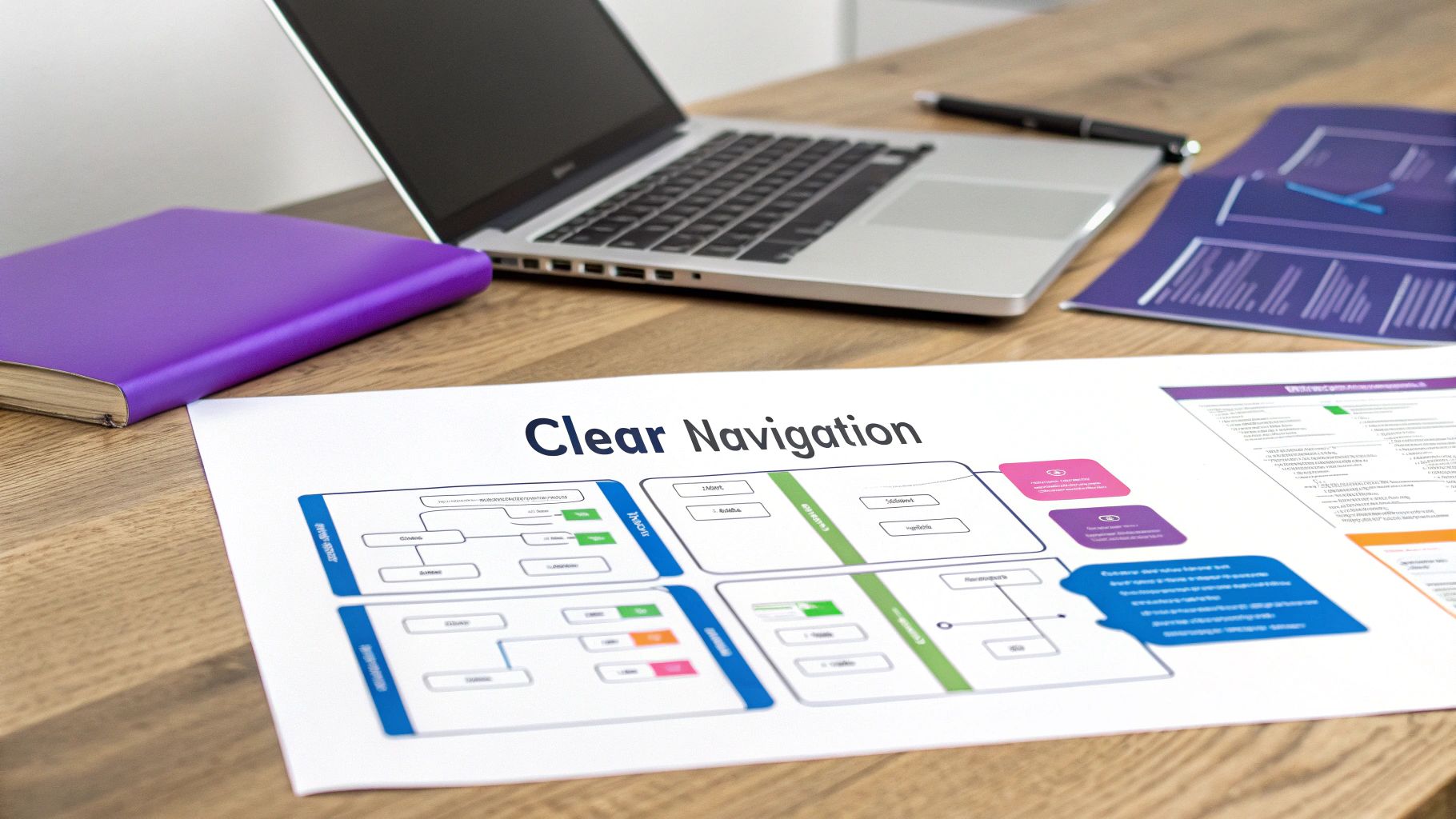
Information Architecture (IA) is the structural blueprint of your digital content, focusing on how information is organized, structured, and labeled to support usability and findability. A strong IA means users can intuitively navigate your website or app to find what they need without confusion. It’s about creating logical pathways and clear hierarchies, much like a well-organized library.
This organizational science is one of the core user experience design best practices because it directly impacts a user’s ability to complete tasks. If users can't find your products, services, or information, they will quickly leave your site for a competitor’s, resulting in lost conversions and high bounce rates.
Why It's Essential
Effective IA builds user confidence and reduces frustration. When the structure of your site aligns with a user's mental model, they feel in control and are more likely to trust your brand. For example, Amazon’s massive product inventory is navigable because of its meticulous IA, which uses clear categories and subcategories that users understand. Poor IA, on the other hand, leads to dead ends and disorientation, damaging the user experience and your brand's credibility.
How to Implement Information Architecture
For e-commerce stores or professional service firms, a solid IA is non-negotiable. You can begin building an effective structure without a large team or budget.
- Conduct Card Sorting Exercises: Ask users to group topics or product names into categories that make sense to them. This helps you understand their natural thought processes and create an intuitive site structure.
- Develop a Sitemap: Before starting any visual design, create a sitemap to outline the hierarchy and relationship between all pages. This blueprint guides the entire design and development process.
- Use Consistent Labeling: Ensure your navigation labels, headings, and links use consistent and predictable terminology across the entire site. Ambiguity creates confusion.
- Implement Breadcrumb Navigation: Use breadcrumbs to show users their current location within the site's hierarchy, allowing for easy backtracking. This is especially critical for sites with deep content levels.
3. Usability Testing
Usability Testing is the practice of evaluating a product or website by observing real users as they attempt to complete tasks. It’s not about asking if users like your design, but about discovering where they struggle. This systematic approach uncovers friction points, confusion, and opportunities for improvement by providing direct, unfiltered feedback.
This method is one of the most impactful user experience design best practices because it replaces assumptions with evidence. Instead of guessing what works, you watch it happen. To truly understand user behavior and refine your designs, exploring guides on usability testing of a website to improve UX can be invaluable.

Why It's Essential
Without usability testing, you are flying blind. You might invest thousands in a new feature only to find out that users can't find the button to access it. Tech giants like Google and Microsoft operate extensive usability labs for this exact reason, knowing that identifying and fixing a problem before launch is far cheaper than fixing it afterward. Observing just a handful of users can reveal critical flaws that internal teams, who are too familiar with the product, would otherwise miss. This process directly improves user satisfaction, which in turn boosts engagement and sales.
How to Implement Usability Testing
You don't need a state-of-the-art lab to get started. Effective usability testing can be done on a small budget with powerful results.
- Test Early and Often: Don't wait for a finished product. Test paper sketches, wireframes, and prototypes to catch issues when they are easiest to fix.
- Recruit Representative Users: Find 5-7 participants who match your target customer profile. Your insights are only as good as the relevance of your test subjects.
- Write Clear Task Scenarios: Instead of leading questions, give users goal-oriented tasks. For example, say "Find a pair of black running shoes and add them to your cart" instead of "Can you use our search filter?"
- Use a Mix of Methods: Combine moderated testing, where you can ask follow-up questions, with unmoderated testing tools to gather quantitative data at scale.
- Document and Prioritize Findings: Create a clear, shareable report that highlights the most critical issues. This makes it easier for your team to act on the insights. Learn more about how these insights can enhance website conversions at rebusadvertising.com.
4. Responsive Design
Responsive Design is an approach that ensures web and app interfaces adapt seamlessly across different devices, screen sizes, and orientations. Rather than creating separate sites for mobile and desktop, responsive design uses flexible layouts, images, and CSS media queries to provide an optimal viewing and interaction experience everywhere. The layout fluidly adjusts to fit the user's screen, from a large monitor to a small smartphone.
This method is one of the most fundamental user experience design best practices today because a significant portion of web traffic comes from mobile devices. A non-responsive site that forces users to pinch and zoom creates immediate frustration, leading to high bounce rates and lost conversions.
Why It's Essential
In a mobile-first world, responsive design is non-negotiable for accessibility and SEO. Google prioritizes mobile-friendly websites in its search rankings, making responsiveness a direct factor in your online visibility. More importantly, it provides a consistent brand experience regardless of how a user accesses your site. Companies like Medium.com and Shopify have built their platforms on this principle, ensuring content is perfectly readable and stores are easily shoppable on any device.
How to Implement Responsive Design
For SMBs and e-commerce stores, achieving a responsive layout is more accessible than ever with modern tools and frameworks.
- Design Mobile-First: Start the design process with the smallest screen (mobile) and progressively enhance the layout for larger screens. This forces you to prioritize essential content and functionality.
- Use a Flexible Grid System: Implement a fluid grid-based layout (like CSS Grid or Flexbox) that uses relative units like percentages, rather than fixed units like pixels, for column widths.
- Optimize Images and Media: Use responsive image techniques to serve different image sizes based on the user's screen resolution. This dramatically improves loading times on mobile devices.
- Ensure Large Touch Targets: Make sure all buttons, links, and interactive elements are at least 44x44 pixels. This prevents frustrating mis-taps on touchscreens and improves usability. To learn more, check out these website design best practices on rebusadvertising.com.
5. Accessibility Design (WCAG Compliance)
Accessibility Design is the inclusive practice of ensuring your digital products are usable by everyone, regardless of their abilities or disabilities. It involves creating interfaces that are perceivable, operable, understandable, and robust for users with visual, auditory, motor, or cognitive impairments. Following the Web Content Accessibility Guidelines (WCAG) is central to this practice.
This approach is one of the most fundamental user experience design best practices because it expands your audience and improves the experience for all users. An accessible design is often a more logical, clear, and usable design for everyone, not just those with disabilities.
Why It's Essential
Beyond the ethical imperative to provide equal access, accessibility has significant business benefits. It mitigates legal risks associated with non-compliance and can improve your SEO, as search engines favor well-structured, accessible content. Tech leaders like Apple and Microsoft have long championed inclusive design, building features like VoiceOver and high-contrast modes directly into their operating systems, proving that accessibility is a driver of innovation and market leadership.
How to Implement Accessibility Design
Integrating accessibility into your workflow from the start is far more effective and cost-efficient than retrofitting it later. Here’s how to begin.
- Follow WCAG 2.1 AA Standards: Aim for Level AA compliance as a minimum benchmark. This standard covers the most common barriers for disabled users. For a detailed explanation of different accessibility standards, you might find useful information on understanding WCAG compliance levels.
- Use Semantic HTML: Write clean, structured code using proper HTML tags (e.g., <nav>, <button>, <h1>). This provides essential context for screen readers and other assistive technologies.
- Ensure Sufficient Color Contrast: Use online tools to check that your text and background colors have a contrast ratio of at least 4.5:1 for normal text.
- Provide Alternative Text for Images: Write descriptive alt text for all meaningful images. This allows users with visual impairments to understand the content and context of your visuals.
6. Consistency and Design Systems
Consistency is the principle that similar elements should look and behave in a similar way, creating a predictable and learnable interface. A Design System is the formal, centralized resource for achieving this consistency at scale. It’s a comprehensive library of reusable components, patterns, and guidelines that ensures every part of your digital product feels like it belongs to a cohesive whole.
This approach is one of the most powerful user experience design best practices because it eliminates guesswork for both users and your internal teams. When users can predict how an element will function based on its appearance, they can navigate your site with confidence, reducing cognitive load and frustration.
Why It's Essential
Inconsistent design creates a disjointed and unprofessional user experience. A button that behaves differently on two separate pages erodes user trust and introduces confusion. Design systems solve this by providing a single source of truth for both designers and developers, drastically speeding up production and reducing errors. Industry leaders like Google (Material Design) and Shopify (Polaris) use robust design systems to maintain a seamless experience across vast ecosystems of products and services.
How to Implement Consistency with a Design System
For a growing e-commerce store or professional services firm, building a design system doesn't have to be a monumental task. Start small and focus on the most frequently used elements.
- Audit Your Existing UI: Take inventory of all the buttons, forms, colors, and text styles currently on your site. Identify inconsistencies and decide on a standard for each.
- Document Core Components: Start with the basics. Define your color palette, typography scales (H1, H2, body text), and primary button styles. Document these with clear rules for their use.
- Use Collaborative Tools: Platforms like Figma or Sketch are excellent for creating a shared library of reusable components that your entire team can access.
- Involve Both Design and Development: A design system is most effective when it’s a collaboration. Ensure developers are involved early to confirm components are technically feasible and easy to implement.
7. Interaction Design and Feedback
Interaction Design (IxD) is the art of creating a meaningful dialogue between a user and a product. It goes beyond static screens to focus on how a user accomplishes goals through a series of actions and system responses. This involves everything from a button's color change on click to subtle animations that guide the eye, ensuring every user action receives clear, immediate, and appropriate feedback.
This discipline is one of the most impactful user experience design best practices because it makes digital products feel responsive and alive. Good interaction design transforms a functional tool into an intuitive and enjoyable experience, building user confidence and reducing cognitive load.
Why It's Essential
Effective interaction design prevents user confusion and frustration. When a user clicks a button and nothing happens, they don't know if the system is working or broken. Thoughtful feedback, like a loading spinner or a confirmation message, communicates system status and manages expectations. Gmail’s “Undo Send” feature is a classic example; it provides a clear, time-sensitive interaction that gives users control and prevents errors.
How to Implement Interaction Design
For an e-commerce site or a small business platform, focusing on key interactions can significantly improve the user journey without requiring a major overhaul.
- Provide Immediate Feedback: Acknowledge every user input instantly. When a user adds an item to their cart, show a visual confirmation, such as a quick animation or an updated cart icon. This reassures them the action was successful.
- Use Purposeful Animation: Animations should guide the user, not just decorate the interface. Use subtle motion to draw attention to important elements or show the relationship between different screens. Keep animations fast, ideally under 300ms, to feel responsive.
- Design for Different States: Consider all possible states for interactive elements like buttons: normal, hover, pressed, disabled, and loading. Clearly differentiating these states makes the interface predictable and easier to navigate.
- Test Interactions on Real Devices: An animation that looks smooth on a powerful desktop might be slow and clunky on an older mobile device. Always test your interactions across a range of target devices to ensure a consistent and performant experience.
8. Minimalism and Cognitive Load Reduction
Minimalism in user experience design is the practice of simplifying interfaces by intentionally removing unnecessary elements and focusing only on essential features. This approach directly reduces cognitive load, which is the mental effort required to use a product. By eliminating visual clutter, streamlining navigation, and establishing a clear content hierarchy, minimalist design makes interfaces more intuitive and efficient.
This concept is a cornerstone of effective user experience design best practices because it honors the user's limited attention. A clean, focused interface allows users to accomplish their goals faster and with less frustration, leading to higher satisfaction and task completion rates.
Why It's Essential
Every button, image, and line of text you add to an interface increases the user's cognitive load. Overwhelmed users are more likely to abandon a task or leave your site entirely. The design philosophies of companies like Apple and Google demonstrate that simplicity is powerful. Google's search homepage, for example, remains famously sparse, focusing the user entirely on the primary task: searching. This laser focus is key to its universal usability.
How to Implement Minimalism and Reduce Cognitive Load
For an e-commerce site or a professional service firm's website, adopting a minimalist approach clarifies your value proposition and guides users toward conversion goals.
- Prioritize Ruthlessly: Use data from user research to identify the most critical features and content. Remove or de-emphasize any "nice-to-have" elements that don't directly support user goals.
- Use Whitespace Strategically: Negative space is not empty space; it's a powerful design tool. Use it to create visual breathing room, separate distinct sections, and improve readability and focus.
- Implement Progressive Disclosure: Hide advanced or secondary options until the user specifically requests them. This keeps the initial interface clean for most users while still providing power and flexibility for experts.
- Conduct a Content Audit: Regularly review all content on your site. Remove outdated pages, consolidate redundant information, and simplify complex language to ensure every element serves a clear purpose.
9. Personalization and Contextual Design
Personalization and Contextual Design involves tailoring the user experience based on individual behaviors, preferences, location, and other contextual cues. Instead of serving a one-size-fits-all interface, this approach uses data to deliver customized content, product recommendations, and functionality, making the interaction feel uniquely relevant to each user.
This strategy is a powerful user experience design best practice because it transforms a generic digital product into a personal assistant. When an interface anticipates needs and surfaces relevant content, users feel understood and valued, which significantly boosts engagement, conversion rates, and long-term loyalty.
Why It's Essential
In a crowded digital landscape, personalization is a key differentiator. It helps cut through the noise by making every interaction more efficient and meaningful. For instance, Amazon's recommendation engine, which suggests products based on browsing history and past purchases, is a massive driver of its sales. Similarly, Spotify’s "Discover Weekly" playlist introduces users to new music they are likely to enjoy, enhancing user satisfaction and retention.
How to Implement Personalization and Contextual Design
Small businesses can implement personalization effectively without needing the resources of a tech giant. The key is to start with a clear goal and respect user privacy.
- Collect Data Ethically: Be transparent about what data you collect and how you use it. Use website analytics to understand user behavior, such as frequently visited pages or past purchases, as a starting point.
- Segment Your Audience: Group users based on shared characteristics like location, past buying behavior, or device type. You can then tailor content, like showing local store information or promoting products popular in their region.
- Offer User Controls: Allow users to manage their personalization settings. Giving them control builds trust and ensures they receive recommendations they find valuable, not intrusive.
- Start with Simple Rules: You don’t need complex AI initially. Begin with rule-based personalization. For example, if a user frequently views a specific product category, feature items from that category on their homepage during their next visit.
10. Performance Optimization and Progressive Enhancement
Performance Optimization and Progressive Enhancement are design and development strategies that prioritize speed and reliability for all users, regardless of their device, browser, or network speed. Instead of designing for the ideal user with the latest technology, this approach starts with a baseline experience that works everywhere. From there, more advanced features and richer visuals are layered on for users with modern browsers and faster connections.
This methodology is one of the most impactful user experience design best practices because it ensures your website is accessible and usable to the widest possible audience. A slow, frustrating site drives users away, directly impacting conversions and brand perception, while a fast, reliable one builds trust and encourages engagement.
Why It's Essential
In an era of dwindling attention spans, site speed is a critical component of the user experience. Google has confirmed that page speed is a ranking factor for both mobile and desktop searches, and studies consistently show that even a one-second delay in page load time can lead to a significant drop in conversions. Companies like Wikipedia and Twitter Lite prove that a relentless focus on performance creates a lean, fast, and highly effective user experience that retains users even on slow connections.
How to Implement Performance Optimization
For any business, especially e-commerce and service providers, a faster website translates directly to better business outcomes. Speed is not just a technical metric; it's a feature.
- Measure and Monitor Core Web Vitals: Use tools like Google PageSpeed Insights to measure real-world user performance metrics like Largest Contentful Paint (LCP), First Input Delay (FID), and Cumulative Layout Shift (CLS). This gives you a clear baseline to improve upon.
- Optimize Images Aggressively: Compress images before uploading them and use modern formats like WebP. Implement lazy loading for images that are below the fold so they only load when a user scrolls to them.
- Implement Critical CSS: Load only the CSS necessary to render the above-the-fold content first. Defer loading the rest of the CSS to dramatically improve the perceived load time for users.
- Use a Content Delivery Network (CDN): A CDN stores copies of your website's assets on servers around the world, delivering them from a location physically closer to the user. This significantly reduces latency and speeds up load times. Learn more about how these technical improvements fit into a broader strategy by exploring these conversion optimization best practices.
10 UX Best Practices Comparison
| User-Centered Design (UCD) | High 🔄 — iterative research & stakeholder alignment | High ⚡ — UX researchers, prototypes, participant recruitment | 📊 Higher adoption; fewer redesigns; improved satisfaction | ⭐ New products, major redesigns, customer-facing apps | 💡 Reduces costly mistakes; evidence-driven innovation |
|---|---|---|---|---|---|
| Information Architecture (IA) | Medium‑High 🔄 — taxonomy & navigation planning | Medium ⚡ — content strategists, card sorting, sitemaps | 📊 Better findability; lower bounce; scalable content | ⭐ Content-heavy sites, e-commerce, knowledge bases | 💡 Improves discoverability; reduces cognitive load |
| Usability Testing | Medium 🔄 — test scripts, moderation & analysis | Medium ⚡ — participants, facilitators, recording/tools | 📊 Reveals real user issues; actionable fixes; validated UX | ⭐ Prototype validation, pre-launch QA, accessibility checks | 💡 Finds critical problems early; builds stakeholder confidence |
| Responsive Design | Medium 🔄 — fluid layouts & cross-device rules | Medium ⚡ — front-end dev time, device testing | 📊 Consistent UX across devices; improved SEO & reach | ⭐ Multi-device sites, content platforms, online stores | 💡 Single codebase; cost-effective; future-proofing |
| Accessibility Design (WCAG) | High 🔄 — standards compliance & audits | Medium‑High ⚡ — accessibility experts, assistive-tech testing | 📊 Expanded audience; reduced legal risk; better usability | ⭐ Public services, enterprise apps, high-traffic sites | 💡 Improves inclusivity & SEO; enhances UX for all users |
| Consistency & Design Systems | High 🔄 — governance, components, documentation | High ⚡ — designers, devs, tooling (libraries, Figma) | 📊 Faster delivery; cohesive brand; fewer UI inconsistencies | ⭐ Large teams, multi-product organizations | 💡 Speeds development; reduces design debt; easier onboarding |
| Interaction Design & Feedback | Medium 🔄 — microinteractions & response tuning | Medium ⚡ — animation/dev effort, cross-device QA | 📊 Higher engagement; clearer feedback; perceived speed gains | ⭐ Apps needing responsiveness, product UX polish | 💡 Makes interfaces feel responsive; reduces confusion |
| Minimalism & Cognitive Load Reduction | Low‑Medium 🔄 — prioritization & content audits | Low ⚡ — design and content refinement effort | 📊 Faster learning; lower error rates; cleaner UI | ⭐ Mobile-first interfaces, simple tools, dashboards | 💡 Focuses attention; improves performance; easier onboarding |
| Personalization & Contextual Design | High 🔄 — data, ML models & orchestration | High ⚡ — data engineers, ML, privacy/compliance work | 📊 Increased engagement, retention, conversion | ⭐ E-commerce, streaming, recommendation platforms | 💡 Delivers relevance; boosts conversions; competitive edge |
| Performance Optimization & Progressive Enhancement | Medium‑High 🔄 — critical-path work & progressive layers | Medium ⚡ — dev expertise, monitoring, CDNs, testing | 📊 Faster loads; lower bounce; better SEO and reliability | ⭐ High-traffic sites, mobile audiences, PWAs | 💡 Ensures core functionality for all; improves metrics and resilience |
Transforming Your Digital Presence Starts with UX
We’ve journeyed through the core pillars of modern digital design, from the foundational principles of User-Centered Design (UCD) and Information Architecture (IA) to the critical details of performance, accessibility, and interaction feedback. The comprehensive list of user experience design best practices covered in this article is more than a simple checklist; it's a strategic framework for building a digital presence that is not just functional, but genuinely effective and enjoyable for your audience.
Implementing these principles is a commitment to placing your customer at the very center of your digital strategy. It’s a declaration that you value their time, respect their needs, and are dedicated to providing a seamless, intuitive, and accessible experience, regardless of the device they use or their physical abilities. This user-first mindset is the single most powerful driver of digital success for any small business, e-commerce store, or professional service firm.
From Theory to Tangible Business Growth
The real power of exceptional UX lies in its direct impact on your bottom line. It’s not just about aesthetics or making a website "look good." It's about measurable outcomes.
- For E-commerce Retailers: A simplified checkout form, lightning-fast page loads, and clear navigation directly translate to lower cart abandonment rates and higher conversion rates. Every second of delay, every confusing step, is a potential lost sale.
- For Professional Service Firms: A well-structured website that clearly communicates your expertise and provides effortless ways to get in touch builds immediate trust. An accessible, professional online presence becomes your most effective tool for lead generation and client acquisition.
- For Small and Medium-Sized Businesses: A positive user experience fosters brand loyalty. When customers can easily find what they need and accomplish their goals without friction, they are more likely to return, recommend your business, and become vocal advocates for your brand.
Adopting these user experience design best practices moves your digital assets from being a passive online brochure to an active, high-performing engine for business growth.
Your Actionable Path Forward: An Iterative Journey
The path to a superior user experience is not a one-time project but an ongoing cycle of improvement. The most successful brands understand that UX is a process of continuous learning and refinement. Here are your immediate next steps to put this knowledge into action:
Conduct a UX Audit: Start where you are. Use the principles in this guide, particularly usability testing and accessibility, to evaluate your current website or application. Identify the most significant points of friction and prioritize them based on their potential impact on your users and business goals.
Focus on High-Impact Areas First: You don't need to overhaul everything at once. Begin with the low-hanging fruit. Are your forms too long? Is your mobile navigation clunky? Is your site speed lagging? Tackling these high-impact issues first will deliver the quickest and most noticeable results.
Embed User Feedback into Your Workflow: Make user feedback a non-negotiable part of your process. Implement simple feedback tools, run regular, small-scale usability tests, and actively listen to what your analytics and user comments are telling you. Your users are your ultimate source of truth.
By embracing this iterative approach, you transform UX from a daunting, large-scale endeavor into a manageable and continuous process of optimization. Each small improvement builds upon the last, creating a compounding effect that significantly enhances your digital presence over time. This sustained effort is what separates market leaders from the competition. Ultimately, investing in a thoughtful, empathetic, and data-driven user experience is one of the most strategic investments you can make in the future of your brand.
Ready to transform your digital presence with expert guidance? The team at Rebus leverages over a decade of experience in crafting immersive brand experiences that captivate audiences and drive conversions. Let us help you implement these user experience design best practices to supercharge your marketing and build a digital presence that stands out.
