Website Design for B2B: Mastering website design for b2b that converts
Designing a B2B website is a whole different ballgame than building one for consumers. Forget just looking good—this is about creating a strategic tool built to persuade a whole group of professional decision-makers, not just a single person scrolling on their phone.
The real secret lies in understanding you're not selling to an individual; you're selling to a buying committee. Your website has to speak to an engineer, a finance manager, and a CEO, all at the same time.
Build Your Website Around the B2B Buying Committee
Before you even think about wireframes or color palettes, the most important work happens. It’s all about digging into the messy, human dynamics behind a corporate purchase. A consumer might buy a pair of shoes in five minutes, but a B2B sales cycle can drag on for months, pulling in multiple stakeholders along the way.
Think of your website as the first salesperson a prospect ever meets. It has to be fluent in multiple languages. A technical user is probably hunting for detailed spec sheets and integration guides. Meanwhile, the CFO is looking for one thing: a clear ROI and easy-to-understand pricing. If your site only speaks to one of them, you’ve already lost the others.
Map the Decision-Makers
First things first: you need to identify every single role involved in a typical purchase. This isn’t about cooking up generic "buyer personas." It’s about mapping a real-world committee.
Get your sales team and a few friendly customers in a room (or on a call) and start asking questions:
- Who was the first person to realize they had a problem our solution could fix? (That’s your Champion.)
- Who actually controls the budget for this kind of thing? (The Economic Buyer.)
- Who’s going to be in the trenches using this product every day? (The End-User.)
- Who’s responsible for the technical deep-dive and making sure it all works? (The Technical Influencer.)
- And finally, who gives the ultimate thumbs-up on the deal? (The Final Decision-Maker.)
Once you’ve got these roles nailed down, you can start building specific content paths and design cues that speak directly to what each of them cares about.
So many companies make the classic mistake of designing their entire website for the end-user. Their buy-in is critical, sure, but the person signing the check often has a completely different set of priorities. Your site needs to build a rock-solid business case, not just show off a bunch of features.
Uncover Their Real Motivations (and Objections)
With your stakeholder map in hand, it’s time to go deeper. This is where you move past assumptions and start gathering actual intelligence.
Fire up LinkedIn Sales Navigator and start researching job titles at companies you want to work with. Pay attention to their profiles—what are their responsibilities? What kind of language do they use? Check out their company’s press releases and annual reports. What are their big strategic goals for the year?
This kind of homework helps you frame your value proposition in a way that actually resonates. For example, instead of a bland statement like, "Our software automates workflows," you can craft a message for a CFO that hits home: "Reduce operational overhead by up to 30% with our automated resource allocation." See the difference?
This level of prep work transforms your website from a passive digital brochure into an active sales machine. It gets ahead of questions, smashes objections before they’re even raised, and builds confidence at every step of a long, complicated buying journey.
In B2B, trust is everything. A well-thought-out website is your single most powerful tool for earning it. It's no wonder that 75% of visitors admit to judging a company's credibility based on its website design—a make-or-break factor in markets where trust is paramount. You can explore more website design statistics to see just how much this stuff influences user perception. When you take this approach, your investment in website design for b2b starts generating real, tangible results.
Designing a High-Performance User Experience for Professionals
Busy B2B decision-makers have zero patience for confusing websites. Let's be real—they aren't browsing for fun; they're on a mission to solve a serious business problem, and they're likely evaluating you against three of your competitors right now.
Your website has to be an intuitive, high-performance tool that gets them to their goal, fast. A clunky or disorganized experience doesn’t just annoy them; it actively torpedoes your credibility before you even get a chance to make your pitch. Think of a thoughtful user experience (UX) as the invisible hand guiding a prospect from uncertainty to confidence in your solution.
This means designing clear pathways that anticipate what they need, whether it's technical specs, pricing info, or a killer case study. The goal is to make it effortless for them to find answers and take the next step.
Build an Effortless Information Architecture
Information architecture (IA) is the literal blueprint of your site's content. A logical IA means a technical buyer can find API documentation just as easily as the procurement manager finds your terms of service. Get this wrong, and you force people to hunt for information—a hunt that almost always ends with them hitting the back button.
Start by grouping your content logically based on those stakeholder roles you already identified. What does the end-user need to see first? What about the economic buyer? Your navigation should reflect these distinct journeys. A crucial part of a great UX is designing intuitive website navigation that just makes sense.
Think of your website’s navigation like the aisle signs in a massive hardware store. A professional contractor doesn't want to wander aimlessly looking for a specific bolt; they want to see "Fasteners," "Aisle 12," and get on with their day. Your B2B site needs that same level of ruthless efficiency.
Use Visual Hierarchy to Guide Attention
Once the structure is solid, the visual design needs to support it. A strong visual hierarchy uses things like size, color, and whitespace to pull the eye toward the most important information on the page. In the B2B world, this isn't just about making things pretty; it’s about creating a functional, scannable interface.
Here are a few principles to put into practice:
- Embrace Whitespace: Generous spacing around text and images keeps the page from feeling cluttered and overwhelming. It gives users room to breathe and focus.
- Use Typography Deliberately: A clean, legible font is non-negotiable. Use different font weights and sizes to create a clear difference between headlines, subheadings, and body text. Make it skimmable.
- Direct Attention with Color: Stick to a limited color palette. A bright, contrasting color should be saved for your most important calls-to-action (CTAs) like "Request a Demo," making them pop off the page.
Don't underestimate how much design impacts perception. The data is pretty staggering.
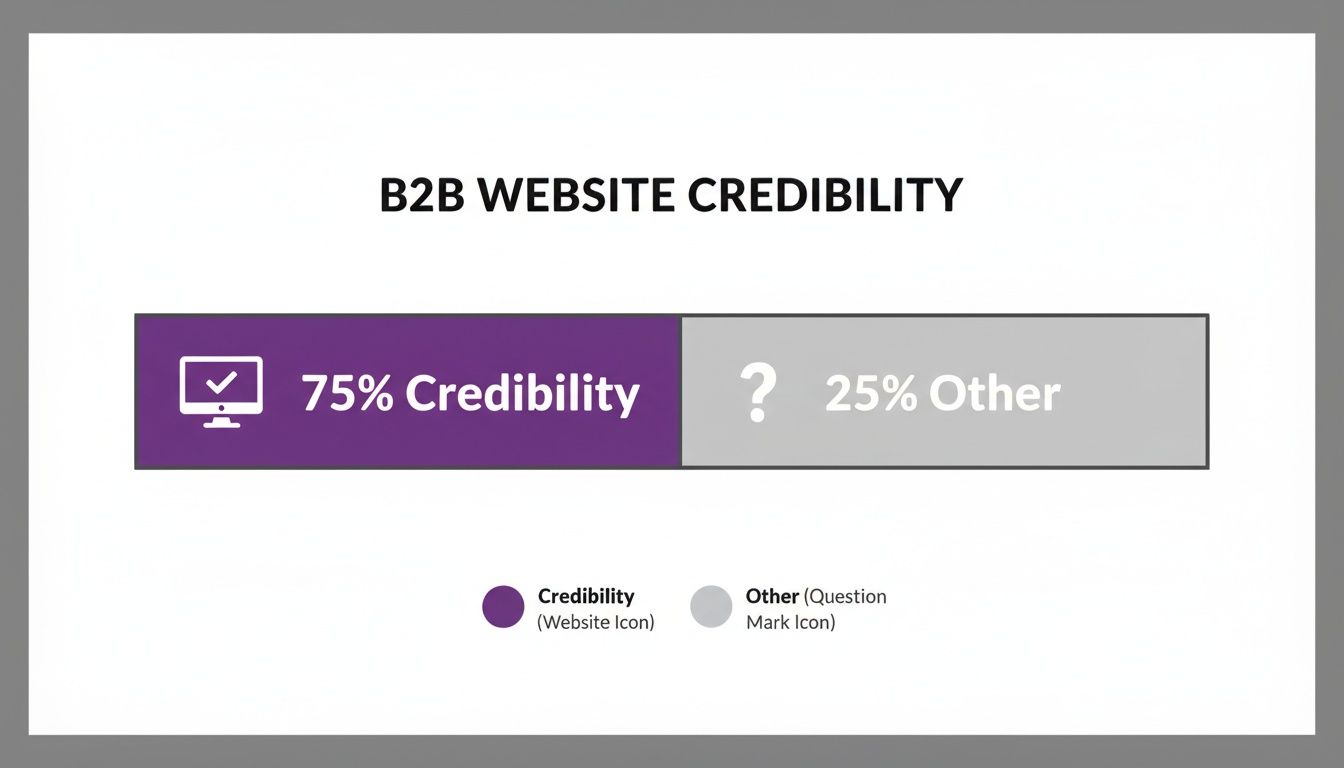
Yep, a whopping 75% of a company's credibility is judged based on its website design alone. It’s the single most critical trust-building asset you have.
Prioritize Clarity and Reduce Friction
Every single element on your site needs a clear purpose. B2B professionals are smart, busy, and appreciate straightforwardness. Ditch the corporate jargon and vague marketing fluff. Use precise language that speaks directly to their pain points and business goals.
Friction is anything that makes it harder for a user to get something done. Think long, complicated forms, hidden contact info, or slow-loading pages. To create a seamless experience, you have to hunt down and eliminate these friction points.
For a deeper look at this, you can learn more about specific user experience design best practices that help turn visitors into leads. By making every interaction as simple as possible, you build trust and show prospects that your company is easy to do business with—setting the stage for a great partnership.
Creating Content and CTAs That Actually Generate Qualified Leads
In the B2B world, your website's content is your most tireless salesperson. It’s on the clock 24/7, educating prospects, building trust, and nudging them through what’s often a long and complicated decision-making process. But for that content to work, it can't just be a glorified feature list. It has to speak directly to business outcomes.
Truly effective website design for B2B weaves content and calls-to-action (CTAs) together so seamlessly that the path from initial curiosity to a sales conversation feels completely natural. This isn't about tricking visitors into clicking. It's about giving them so much genuine value that taking the next step is the most logical thing to do.

Craft Content That Sells Solutions, Not Features
Here's a hard truth: your prospects aren't buying your software, your machinery, or your consulting hours. They’re buying a solution to a painful, expensive problem—a way to boost revenue, slash operational drag, or sleep better at night by mitigating risk. Your content must reflect this reality.
So instead of leading with, "Our platform includes an advanced analytics dashboard," try something like, "Make data-driven decisions that cut operational waste by 15%." The first line describes a feature; the second describes a tangible business result that makes a CFO sit up and pay attention.
To get this right, you need to zero in on:
- Outcomes: Paint a clear "after" picture. What will their business look like once they’re using your solution?
- Pain Points: Speak directly to the frustrations and challenges that keep your target stakeholders up at night. Show them you live in their world.
- Proof: Back up every single claim with hard data, detailed case studies, or glowing testimonials. In B2B, trust signals are everything.
Design a Strategic CTA Framework
Not every visitor is ready to "Request a Demo." Someone reading a top-of-funnel blog post for the first time is worlds away from the person who just spent 20 minutes on your pricing page. Your CTAs have to meet them where they are.
Think of your CTAs as a ladder, helping prospects climb from awareness to decision at their own pace.
A classic mistake is slapping "Contact Us" on every single page. That's a high-commitment ask that scares off anyone in the early research phase. You need to offer lower-friction options that build the relationship first.
A balanced CTA ecosystem should include:
- Low-Commitment CTAs (Top of Funnel): These are for visitors just starting their research. Think "Download the Free Guide," "Subscribe to Our Newsletter," or "Watch the Webinar."
- Mid-Commitment CTAs (Middle of Funnel): For prospects actively evaluating solutions. This is where "See a Product Tour," "View Case Studies," or "Download the Whitepaper" fit perfectly.
- High-Commitment CTAs (Bottom of Funnel): Save these for your sales-ready leads. This is the time for "Request a Demo," "Get a Custom Quote," or "Talk to Sales."
By matching the CTA to the context of the page and the user’s likely intent, you dramatically increase your chances of conversion without coming off as pushy.
Build an Ecosystem of Valuable Lead Magnets
Lead magnets are the currency of B2B lead generation. You offer a piece of high-value, problem-solving content in exchange for a prospect's contact information. These are the assets that fuel your entire marketing engine.
But let's be clear: a generic, five-page PDF isn't going to cut it anymore. Your assets have to be genuinely useful and solve a very specific problem for your ideal customer.
Here are a few powerful lead magnet ideas for a B2B site:
ROI Calculators: An interactive tool that lets a prospect plug in their own data to see the potential financial upside of your solution. This is pure gold for economic buyers.
In-Depth Whitepapers: A deeply researched paper that tackles a major industry challenge and presents your unique perspective or framework for solving it.
On-Demand Webinars: A recorded presentation that delivers serious insights or practical training on a topic your audience is obsessed with.
Comprehensive Checklists: A practical, step-by-step tool that helps a prospect do something valuable, like "The Ultimate Cybersecurity Audit Checklist."
These assets do more than just capture a lead; they position your company as a trusted expert and give your sales team the perfect, value-driven reason to follow up. For firms in the professional services space, building this content pipeline is non-negotiable. You can dive deeper into specific strategies for lead generation for professional services to really hone your approach.
Ultimately, turning your B2B website into a true lead generation machine comes down to this strategic blend of helpful content and intelligent, intent-based CTAs.
Mastering the Technical Fundamentals of B2B SEO
Let's get one thing straight: an incredible website that nobody can find is just an expensive digital business card. If you want to turn your site into a lead-generating machine, you have to get the technical health right. This is the bedrock of search engine optimization (SEO).
While the term "technical SEO" might sound like something reserved for developers in dark rooms, the fundamentals are surprisingly straightforward—and completely non-negotiable for success. This isn't about outsmarting Google's algorithm. It's about building your site on a solid foundation that search engines can easily crawl, understand, and ultimately, trust.
Nail these details, and when a B2B buyer searches for a solution you offer, you'll actually show up.
Nail Your On-Page SEO Essentials
On-page SEO is all about optimizing the individual pages of your website. Think of it as signaling to both users and search engines what your content is about, making it crystal clear and relevant.
Start with the basics that deliver the biggest punch:
- Title Tags: This is the headline that appears in the search results. It absolutely must include your primary keyword and be compelling enough to earn a click over your competitors.
- Meta Descriptions: This is the short summary under your title tag. While not a direct ranking factor, a well-written meta description is your free ad copy—it's your chance to entice someone to actually visit your page.
- Header Structure (H1, H2, H3): Your page needs a logical structure. Your main headline should be an H1, with subheadings as H2s and H3s. This not only organizes the content for human readers but also gives search engines a clean outline of your page's topics.
Think of your on-page SEO as the signage for your digital storefront. A clear, well-labeled store helps customers find what they need. A well-optimized page does the same thing for search engines and potential buyers, guiding them directly to the right solution.
Demystify Advanced Technical Signals
Once you've got the basics down, a few more technical elements can give your B2B website a serious edge. One of the most powerful is schema markup. This is essentially a type of code you add to your site that helps search engines understand your content on a much deeper level.
For example, you can use schema to explicitly tell Google about your:
- Services and products offered
- Company contact information
- Customer reviews and ratings
- Upcoming events or webinars
When you implement schema correctly, it can lead to "rich snippets" in search results—those little extras like star ratings or event dates appearing directly under your listing. These can dramatically improve your click-through rate.
Another critical piece of the puzzle is creating clean, logical URL structures. A URL like yourcompany.com/services/cybersecurity-consulting is far more effective for both users and SEO than a jumbled mess like yourcompany.com/page-id=123. Keep your URLs short, descriptive, and keyword-rich.
Prioritize Site Speed and Core Web Vitals
In the hyper-competitive world of website design for B2B, speed is everything. It's a make-or-break factor. Google uses a set of metrics called Core Web Vitals to measure the actual user experience a page provides, with a heavy emphasis on how fast and responsive it is.
A slow, clunky website doesn't just frustrate potential customers; it actively hurts your search rankings.
In fact, a staggering 88.5% of people will ditch a site that doesn't load fast enough. That translates directly to lost leads and revenue. Read more about these crucial website statistics and you'll see the full impact. Slow performance sends a signal to prospects that your company might be inefficient or outdated—not a great first impression.
To get your site up to speed, focus on these quick wins:
Compress Your Images: Large, unoptimized images are the number one culprit for slow load times. Use tools to compress images before you upload them, without sacrificing too much quality.
Enable Browser Caching: Caching stores parts of your website on a visitor's browser. When they come back, the site loads much faster because their browser doesn't have to re-download every single file.
Minimize Your Code (CSS, JavaScript): Clean, efficient code loads faster. Talk to your developer about removing unnecessary code, comments, and formatting from your files to trim the fat.
Mastering these technical fundamentals ensures that all the hard work you've put into your content and design actually gets the visibility it deserves. A technically sound website is a trustworthy one—both in the eyes of Google and the discerning B2B buyers you're trying to attract.
How to Measure and Improve Your Website Performance
Launching your new B2B website isn't the finish line—it’s the starting gun. A great website isn’t a static brochure left to collect dust. It’s a living, breathing asset that should get smarter and more effective over time. To make that happen, you need a clear playbook for continuous measurement and improvement.
This is where you shift from just building the site to making it work for your business. By tracking the right data and testing smart hypotheses, you can systematically crank up its performance, turning more visitors into qualified leads and proving the ROI of your investment.

Pinpoint Your Key Performance Indicators
You can't improve what you don't measure. The first move is to define exactly what success looks like for your B2B website. Instead of getting lost in a sea of vanity metrics, laser-focus on a handful of Key Performance Indicators (KPIs) that tie directly to actual business goals.
Using a tool like Google Analytics 4, you can track the actions that truly move the needle. It's critical to get the tracking right for these user actions from the jump. You can find detailed guides on how to properly configure Google Analytics goals to ensure your data is accurate and ready to use from day one.
Here are a few B2B KPIs you absolutely should be watching:
- Lead Conversion Rate: This is the big one. What percentage of your visitors are completing a key action, like filling out a "Request a Demo" form or downloading a whitepaper?
- Goal Completions: Track specific milestones in the buyer's journey. Think video plays on a product page, clicks on a "Contact Sales" button, or visits to your pricing page. These are the breadcrumbs that lead to a sale.
- User Flow Analysis: Where are visitors coming from, what pages are they visiting, and where are they dropping off? Understanding these paths can reveal glaring weaknesses in your site's journey.
Uncover Hidden Friction Points
Quantitative data from analytics tells you what is happening, but qualitative tools tell you why. This is where you get to play detective and see your website through your customers' eyes for the first time.
Tools like heatmaps and session recordings are worth their weight in gold for this.
- Heatmaps give you a visual map of where users click, move their mouse, and scroll. Are they clicking on things that aren't buttons? Are they completely ignoring your most important CTA?
- Session Recordings are literal video replays of a user's visit. Watching these can be an eye-opening, sometimes painful, experience. They reveal moments of confusion or frustration that no analytics report could ever capture.
Watching a handful of session recordings is often more insightful than staring at a dashboard for an hour. You might see a user rage-clicking a broken button or struggling to find information that you thought was obvious. These are pure gold for identifying quick optimization wins.
Adopt a Simple A/B Testing Framework
Once you’ve identified a problem area and have a hunch about how to fix it, it’s time to test that theory. A/B testing is just showing two versions of a page to different groups of your audience to see which one performs better. No more guessing games.
This data-driven approach takes the ego and guesswork out of your website design for B2B improvements.
For example, your heatmap might show that nobody is scrolling down far enough to see your main CTA on a key service page. Ouch.
- Your Hypothesis: "If we move the CTA higher up the page, more people will see it, and form submissions will increase."
- Your Test: Create a variation of the page (Version B) with the CTA "above the fold."
- Your Measurement: Run the test until you have a statistically significant result, then see which version generated more leads.
You can test almost anything—a headline, a button color, a new image, or the entire layout of a page. The key is to test one thing at a time and let the data pick the winner.
To continuously improve user experience and search engine visibility, it's also crucial to understand how to optimize website performance on a technical level. This loop of measuring, analyzing, and testing turns your website into a powerful, data-backed conversion engine that consistently drives business growth.
Got Questions About B2B Website Design? We've Got Answers.
Even with a killer strategy, kicking off a B2B website project can feel like navigating a minefield of questions. Getting straight answers upfront is the key to aligning your team, setting a realistic budget, and making sure the final product is a lead-generating machine, not just a digital facelift.
Let's cut through the noise. Here are the no-fluff answers to the questions we hear all the time.
How Much Does a Professional B2B Website Cost?
This is always the first question, and the honest-to-goodness answer is: it depends. A professional B2B website isn't an off-the-shelf product; it's a custom-built sales engine. The price tag reflects the depth of that work.
A super basic, brochure-style site with a few pages might sneak in around $10,000. But let's be real—most B2B companies need a lot more firepower. A more typical, complex site with custom features, CRM or marketing automation integrations, and a solid content strategy will usually land somewhere between $25,000 and $75,000, and often higher.
What are you actually paying for?
- Deep-Dive Strategy: Mapping buyer journeys and figuring out what success actually looks like (KPIs).
- UX/UI Design: Building the wireframes and visual designs that guide users to take action.
- Content That Sells: Crafting compelling, SEO-friendly copy, case studies, and blog posts.
- Rock-Solid Development: Building the site on a secure, stable, and fast platform.
Think of it this way: you're commissioning a 24/7 sales tool, not just buying a pretty template.
How Long Does a B2B Website Project Take?
Good things take time. If an agency promises you a custom site in two weeks, you should probably run. A well-executed B2B website project, from kickoff to launch, typically takes between 12 and 16 weeks. This timeline gives each critical phase the breathing room it needs.
Here’s a rough breakdown of how that time is spent:
- Discovery & Strategy (2–3 weeks): This is the foundation. We dig into goals, stakeholders, and site architecture.
- UX/UI Design (3–4 weeks): We move from messy wireframes and user flows to polished, pixel-perfect mockups.
- Content & Development (5–6 weeks): These two usually run in parallel. The copy gets written while the code gets slung.
- Testing & Launch (1–2 weeks): We hammer the site with tests, squash bugs, check every device, and prep for a smooth go-live.
Sure, this can shift based on how complex the site is or how quickly feedback comes in, but it’s a solid benchmark to plan around.
What Is the Most Important Element of a B2B Website?
This one’s easy. While killer design and blazing-fast performance are non-negotiable, they both serve a single, more important master: clarity of your value proposition.
Your website has about five seconds to answer three questions for a busy professional: What do you do? Who do you do it for? And why are you the best choice to solve their specific problem?
If the answer to any of those is fuzzy, buried in jargon, or hidden behind vague promises, they’re gone. Click. Back button.
Every single element—from the H1 on your homepage to the labels in your navigation—must work together to deliver that message with ruthless clarity. A beautiful website that fails to communicate its core value is just an expensive piece of art. The best website design for B2B makes its purpose obvious from the second the page loads.
Ready to build a B2B website that doesn't just look good, but drives real business growth? The expert team at Rebus crafts strategic, high-performance websites designed to attract, engage, and convert your ideal customers. Partner with us to transform your digital presence.
